
The Comprehensive Attendance Reports interface provides more detailed attendance reporting capabilities.
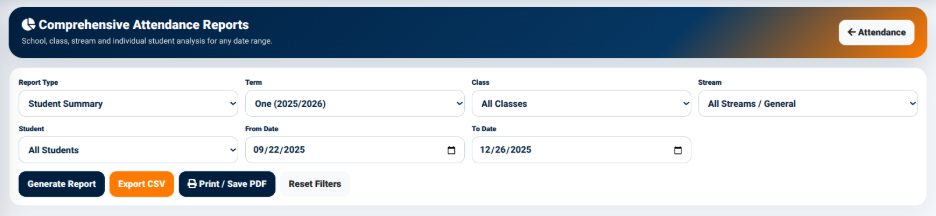
The interface allows users to generate reports based on different attendance reporting criteria.
The available fields include:
- Report Type — Used to select the type of attendance report required.
- Term — Used to select the academic term.
- Class — Used to select a specific class or all classes.
- Stream — Used to select a specific stream or all streams.
- Student — Used to select a specific student or all students.
- From Date — Defines the beginning of the reporting period.
- To Date — Defines the end of the reporting period.
The interface provides the following actions:
- Generate Report — Generates the selected attendance report.
- Export CSV — Exports the report information in CSV format.
- Print / Save PDF — Provides a printable or PDF version of the report.
- Reset Filters — Clears the selected reporting filters.
The comprehensive report interface therefore provides greater control over the attendance information included in a report.