
The Upload Assessment Scores function provides a method for entering multiple scores using a prepared spreadsheet.
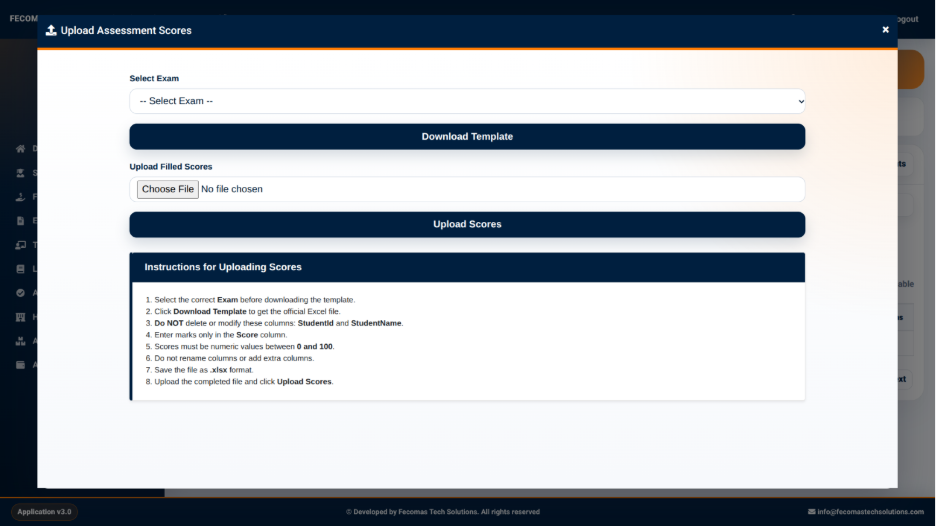
The upload interface provides the following controls:
- Select Exam — Used to select the examination or assessment associated with the scores.
- Download Template — Provides a template that can be used to prepare the score information.
- Choose File — Used to select the completed score file.
- Upload Scores — Uploads the prepared score file into the system.
The interface also provides instructions for preparing the score file.
Upload Instructions
The system provides instructions that should be followed when preparing the spreadsheet.
The instructions include:
- Select the correct exam before downloading the template.
- Download the template to obtain the required Excel file structure.
- Do not delete or modify the specified student identification columns.
- Enter marks only in the designated score column.
- Scores must be numeric values within the permitted range.
- Do not remove columns or add extra columns to the template.
- Save the completed file in the required Excel format.
- Upload the completed file using Upload Scores.
Following the provided template structure helps ensure that the uploaded information can be correctly matched with the relevant students and assessment.