
The Asset Category function provides a dedicated interface for managing the categories used to organize school assets.
It allows authorized users to create asset categories, review existing category records, search for categories, export category information, and manage individual category records.
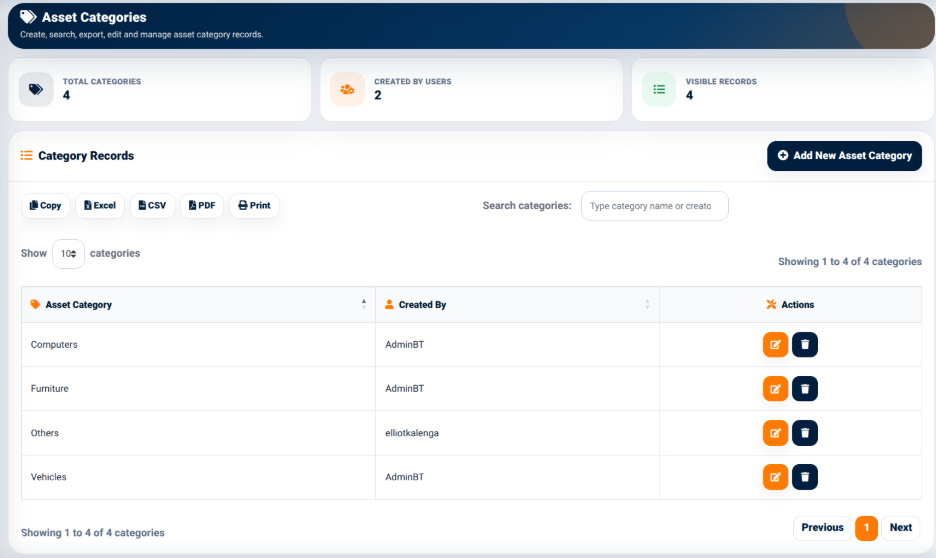
The interface provides summary indicators including:
- Total Categories — Displays the number of asset categories currently recorded.
- Created By Users — Displays the number of users associated with the creation of category records.
- Visible Records — Displays the number of category records currently visible.
Category Records
The Category Records section displays asset categories in a structured table.
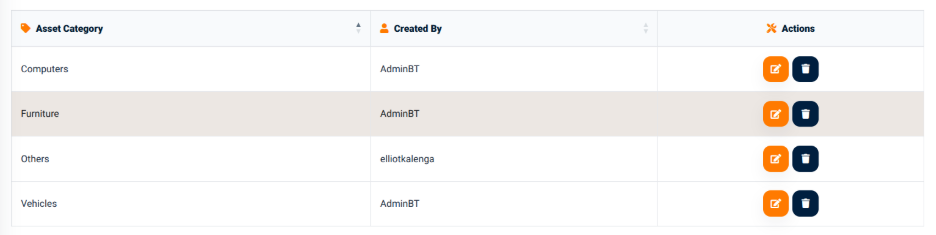
The table provides information including:
- Asset Category — Identifies the asset category.
- Created By — Identifies the user who created the category.
- Actions — Provides available actions for the individual category record.
The interface provides a search field for locating category records using the available category information.
The output controls include:
- Copy — Copies the displayed category information.
- Excel — Exports the category information to an Excel-compatible file.
- CSV — Exports the category information in CSV format.
- PDF — Generates a PDF version of the displayed category information.
- Print — Opens the category information in a print-ready format.
Asset Category Actions
The Actions section provides controls for managing individual asset category records.
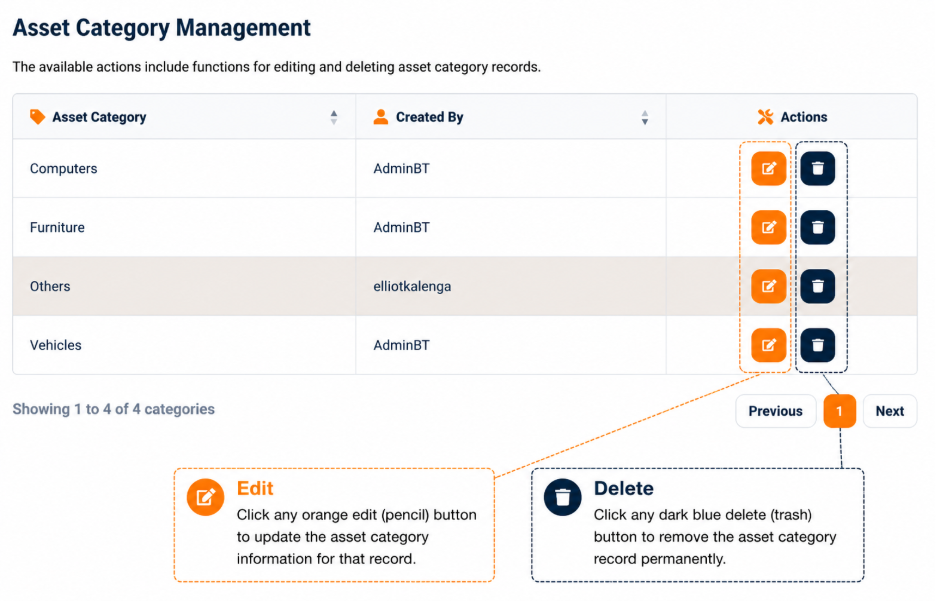
The available actions include functions for editing and deleting category records.
Changes to asset categories may affect how assets are organized within the Asset Management interface.