
Existing user accounts can be managed from the User Records table.
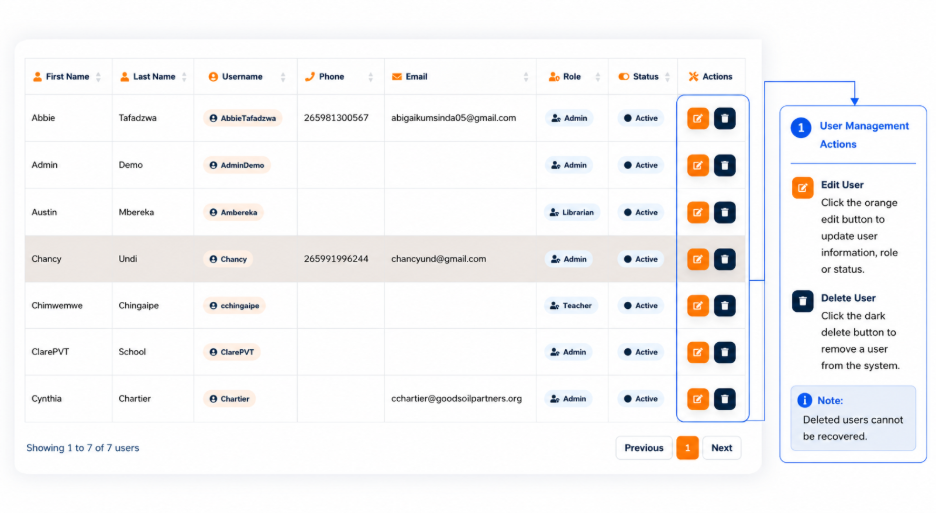
The Actions section provides controls for managing individual user accounts.
The available actions include:
- Edit — Opens the User Setup interface to modify the selected user’s information.
- Delete — Removes the selected user account where the user has the required permission.
User information should be verified before changes are saved because the selected role and account status determine the user’s access to the system.