
The Hostels Management function provides the main interface for managing hostel records. It allows authorized users to create new hostels, review existing hostel records, search for specific hostels, export hostel information, and manage individual hostel records.
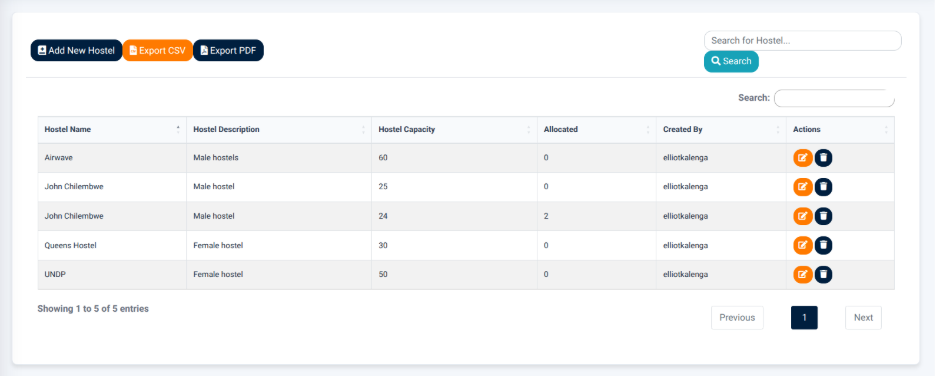
The interface provides the following main actions:
- Add New Hostel — Opens the hostel management form for creating a new hostel record.
- Export CSV — Exports the displayed hostel information in CSV format.
- Export PDF — Generates a PDF version of the displayed hostel information.
- Search — Allows users to search for hostel records.
Hostel Records
The Hostel Records section displays individual hostel records in a structured table.
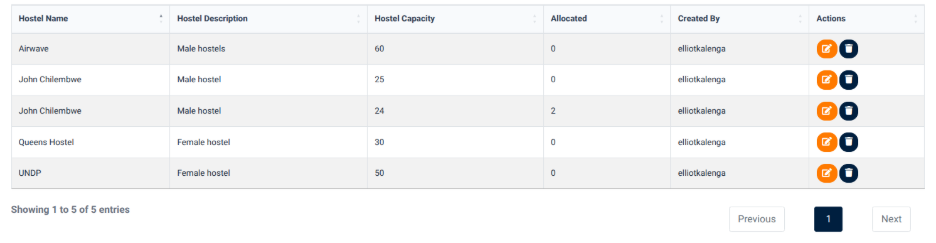
The table provides information including:
- Hostel Name — Identifies the hostel.
- Hostel Description — Provides a description of the hostel.
- Hostel Capacity — Displays the total capacity of the hostel.
- Allocated — Displays the number of spaces currently allocated.
- Created By — Identifies the user who created the hostel record.
- Actions — Provides available actions for the individual hostel record.
The hostel records allow users to review the capacity and allocation position of each hostel from a single interface.
Managing Hostel Records
The Actions section provides controls for managing individual hostel records.
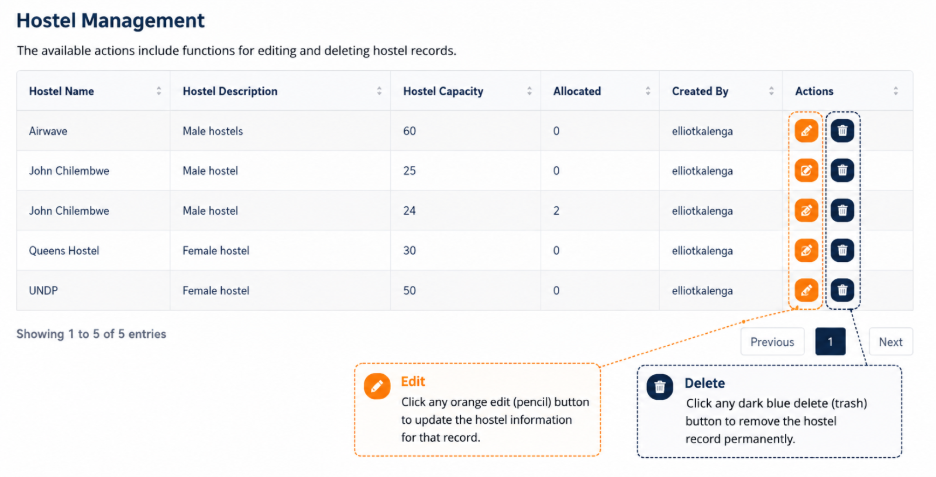
The available actions include functions for editing and deleting hostel records.
The hostel management form provides fields for hostel information including:
- Hostel Name — Used to identify the hostel.
- Hostel Description — Used to provide information describing the hostel.
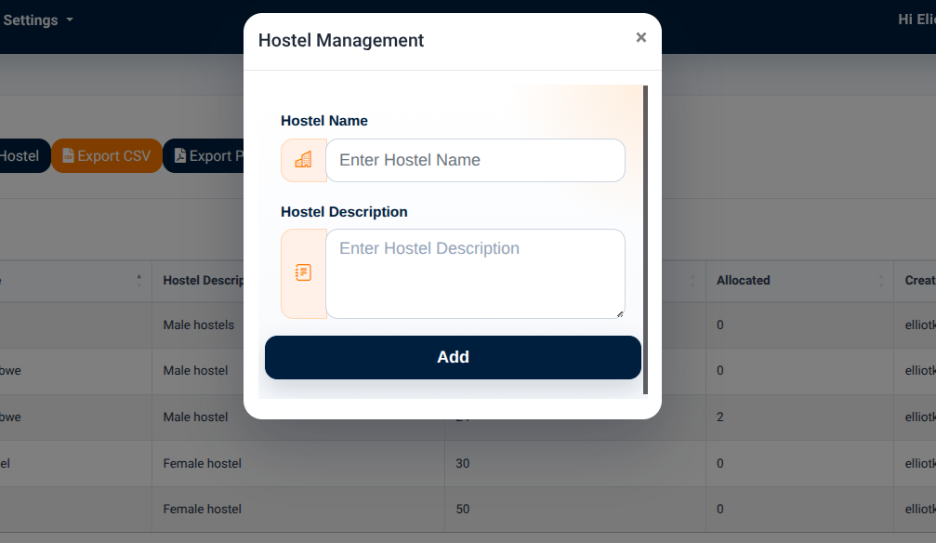
The Update action is provided when modifying an existing hostel record.