
The Single Score Entry function provides a form for entering an individual student’s assessment score.
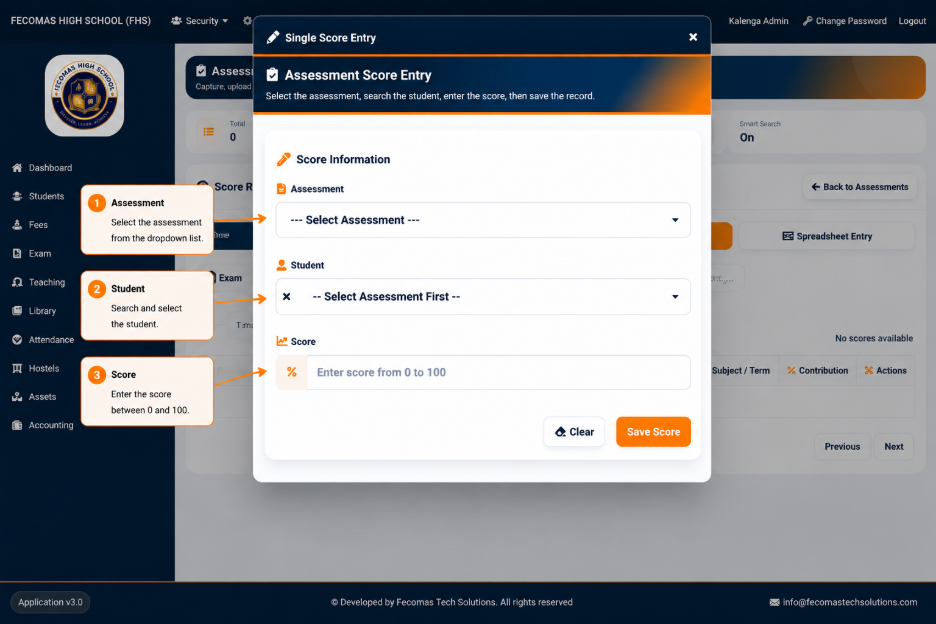
The form provides a Score Information section containing the following fields:
- Assessment — Used to select the assessment for which the score is being entered.
- Student — Used to select the student receiving the score.
- Score — Used to enter the student’s score.
The interface provides guidance indicating that the student selection can be searched to locate the required student quickly.
The Score field accepts a value within the range specified by the system.
The available actions include:
- Clear — Removes the information currently entered in the form.
- Save Score — Saves the entered assessment score.
The assessment must be selected before the student can be selected. This ensures that the score is associated with the appropriate assessment.