
The Library Shelves interface is used to manage the physical shelf locations available within the library.
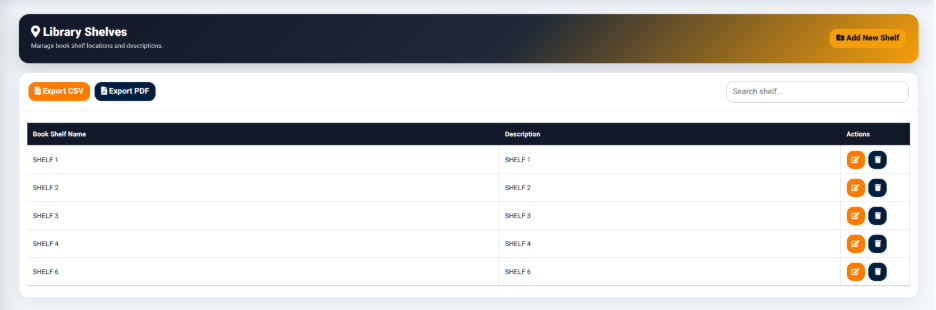
The interface provides an Add New Shelf function for creating new shelf locations.
It also provides options for:
- Export CSV — Exports shelf information to CSV.
- Export PDF — Generates a PDF version of the shelf information.
- Search Shelf — Allows users to search for a specific shelf.
The shelf records table includes:
- Book Shelf Name — Identifies the shelf.
- Description — Provides additional information about the shelf.
- Actions — Provides available actions for managing the shelf record.
Shelf locations provide the physical organization structure used when assigning books to the library inventory.
Adding a Library Shelf
The Add New Shelf function is used to create a new physical shelf location.
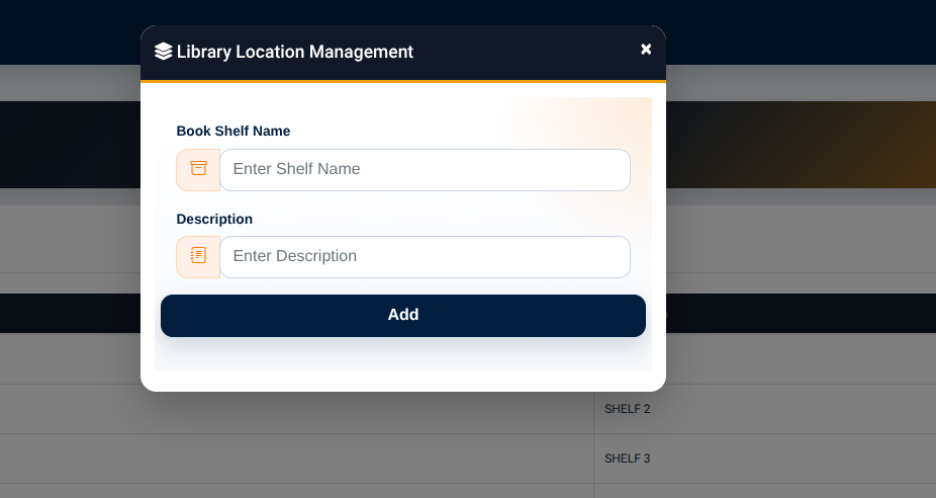
The shelf management form provides:
- Book Shelf Name — Used to enter the name or identifier of the shelf.
- Description — Used to provide additional information about the shelf.
The Add button is used to save the shelf record.
Once created, the shelf can be selected as a Library Location when adding physical book copies to the inventory.