
The Hostel Allocation function is used to manage the allocation of students to hostel rooms.
It provides an interface for creating new hostel allocations and reviewing existing allocation records.
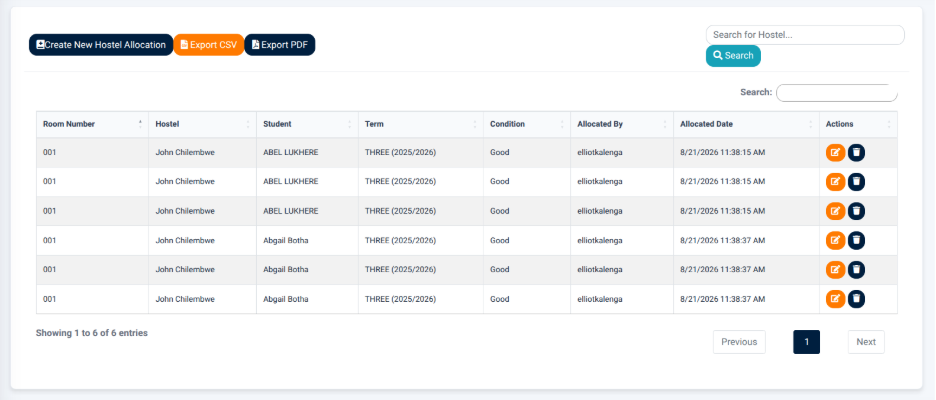
The interface provides the following main actions:
- Create New Hostel Allocation — Opens the hostel allocation form for recording a new student allocation.
- Export CSV — Exports the displayed allocation information in CSV format.
- Export PDF — Generates a PDF version of the displayed allocation information.
- Search — Allows users to search for allocation records.
Hostel Allocation Records
The Hostel Allocation Records section displays existing student hostel allocations in a structured table.
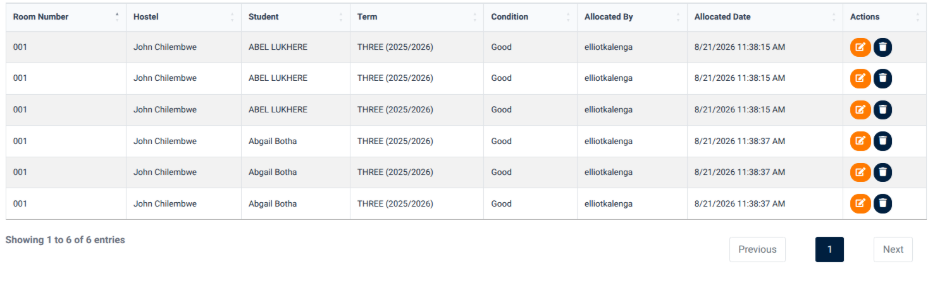
The table provides information including:
- Room Number — Identifies the room allocated to the student.
- Hostel — Identifies the hostel associated with the room.
- Student — Identifies the student who has been allocated the room.
- Term — Identifies the academic term associated with the allocation.
- Condition — Displays the condition recorded for the allocation.
- Allocated By — Identifies the user who created the allocation.
- Allocated Date — Displays the date and time when the allocation was recorded.
- Actions — Provides available actions for the allocation record.
The allocation records allow users to review existing hostel placements and the associated allocation information.
Creating a Hostel Allocation
The Create New Hostel Allocation function provides an interface for selecting a student, room, room condition, and academic term before recording the allocation.
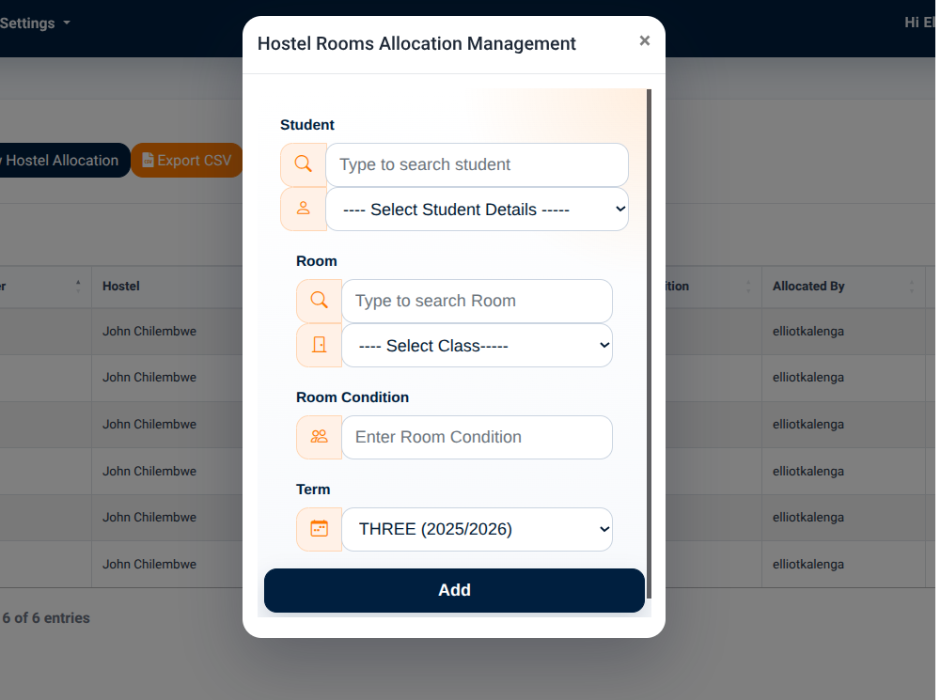
The allocation interface provides the following main selection areas:
Student
The Student section allows the user to search for a student and select the required student details.
The interface provides a student search field and a student details selection field.
Room
The Room section allows the user to search for and select the required room.
The interface provides:
- Room Search — Used to search for a room.
- Room Selection — Used to select the required room from the available room list.
The room selection list displays available rooms together with their associated hostels.
Room Condition
The Room Condition field allows the user to enter the condition associated with the room allocation.
Term
The Term field allows the user to select the academic term associated with the hostel allocation.
The Add action is used to record the hostel allocation after the required information has been entered.