
The Invoices function provides the main interface for generating and managing student fee invoices. It allows authorized users to create invoices, review invoice records, search for specific invoices, export invoice information, and monitor the payment status of student invoices.
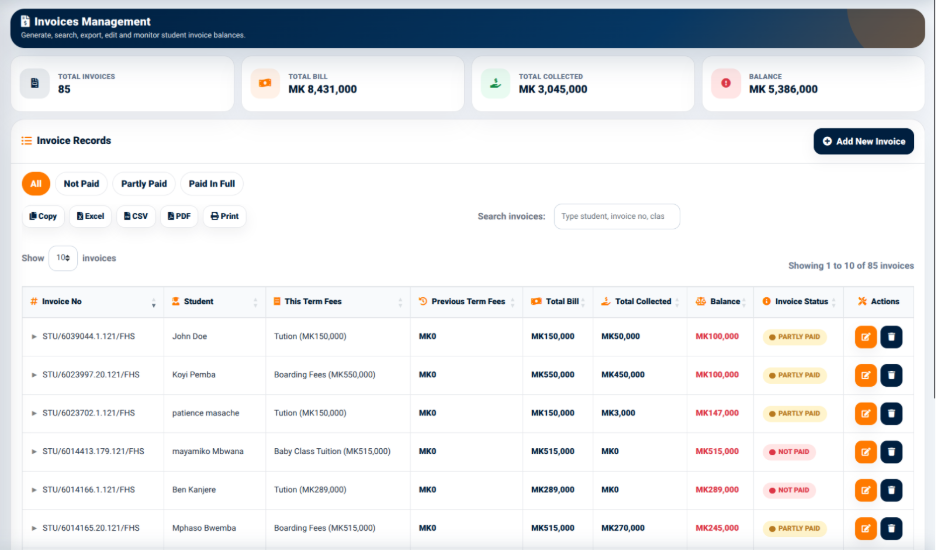
The Invoices interface provides summary information at the top of the page, including:
- Total Invoices — Displays the number of invoices currently recorded in the system.
- Total Bill — Displays the total value of the invoices.
- Total Collected — Displays the amount that has been collected against the invoices.
- Balance — Displays the outstanding balance represented by the invoices.
These summary indicators provide users with a quick overview of the current invoicing position before reviewing individual records.
Invoice Records
The Invoice Records section displays individual student invoices in a structured table.
The interface provides status filters that allow users to view invoices according to their payment status:
- All — Displays all available invoice records.
- Not Paid — Displays invoices that have not received payment.
- Partly Paid — Displays invoices against which only part of the billed amount has been paid.
- Paid in Full — Displays invoices whose outstanding amount has been fully settled.
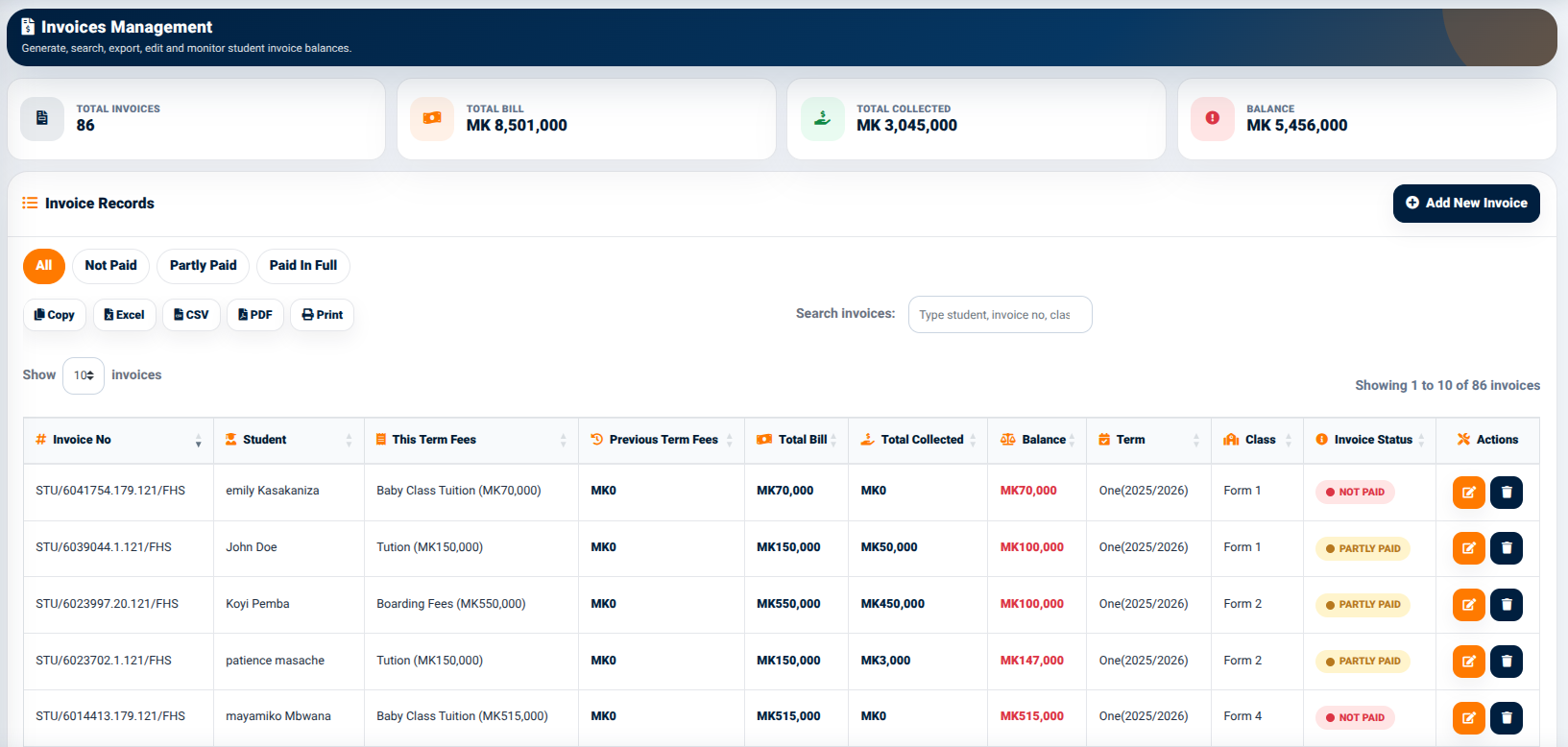
The invoice table provides information including:
- Invoice No — Identifies the invoice.
- Student — Identifies the student associated with the invoice.
- This Term Fees — Displays fees assigned for the current term.
- Previous Term Fees — Displays fees carried forward from a previous term.
- Total Bill — Displays the total amount billed.
- Balance — Displays the amount remaining to be paid.
- Invoice Status — Indicates the current payment status.
- Actions — Provides available actions for the individual invoice.
The invoice status allows users to quickly determine whether an invoice is unpaid, partially paid, or fully settled.
Invoice Search and Data Export
The Invoices interface provides a search field for locating invoice records. Users can search using information such as the student, invoice number, or class.
The interface also provides data export and output controls including:
- Copy — Copies the displayed information for use elsewhere.
- Excel — Exports the invoice information to an Excel-compatible file.
- CSV — Exports the invoice information in CSV format.
- PDF — Generates a PDF version of the displayed invoice information.
- Print — Opens the information in a print-ready format.

These controls allow users to work with invoice information outside the main application interface when a separate file, printed report, or electronic copy is required.