
Fecomas includes a dedicated Security area accessible from the top navigation bar. The system also displays the currently signed-in user’s account information and provides account-related actions.
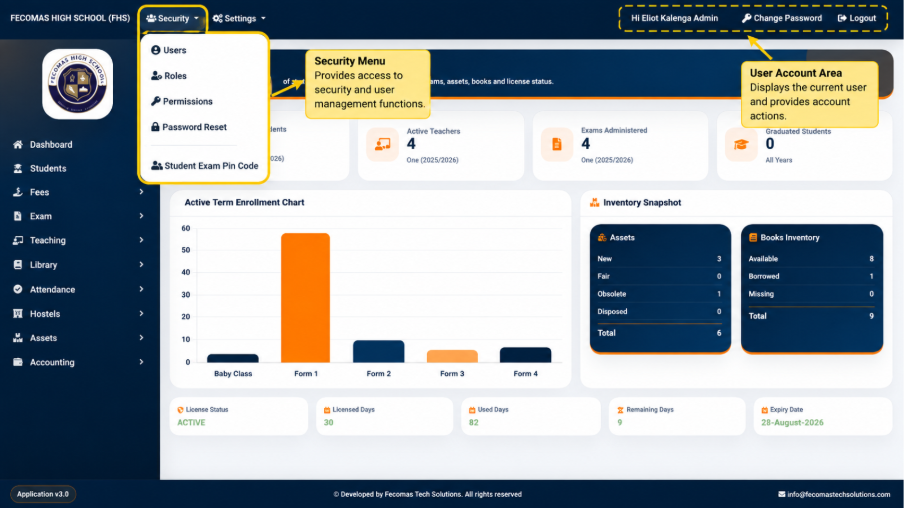
The top navigation provides access to security-related functionality while the user account area identifies the current user and provides options such as:
- Change Password
- Logout
The availability of system functions is expected to be controlled through user access and permissions. Consequently, two users may not necessarily see or access exactly the same functions. The screens, menus, and actions available to a user depend on the permissions assigned to that user’s account.
This documentation therefore describes both the functionality of the system and the interface through which authorized users access that functionality.