Comprehensive Attendance Reports
The Comprehensive Attendance Reports interface provides more detailed attendance reporting capabilities.
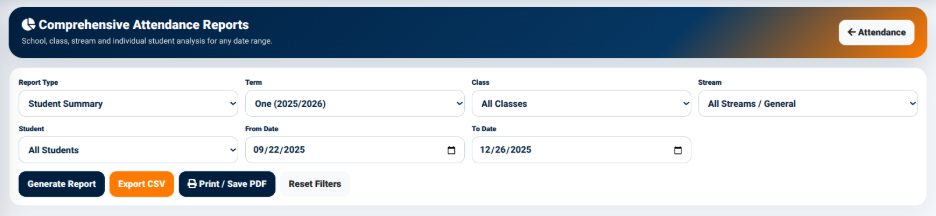
The interface allows users to generate reports based on different attendance reporting criteria.
The available fields include:
- Report Type — Used to select the type of attendance report required.
- Term — Used to select the academic term.
- Class — Used to select a specific class or all classes.
- Stream — Used to select a specific stream or all streams.
- Student — Used to select a specific student or all students.
- From Date — Defines the beginning of the reporting period.
- To Date — Defines the end of the reporting period.
The interface provides the following actions:
- Generate Report — Generates the selected attendance report.
- Export CSV — Exports the report information in CSV format.
- Print / Save PDF — Provides a printable or PDF version of the report.
- Reset Filters — Clears the selected reporting filters.
The comprehensive report interface therefore provides greater control over the attendance information included in a report.