
The Fees Collection function is used to manage student fee payment transactions.
It provides an interface for recording, searching, filtering, reviewing, exporting, printing, editing, and reversing fee collection transactions.
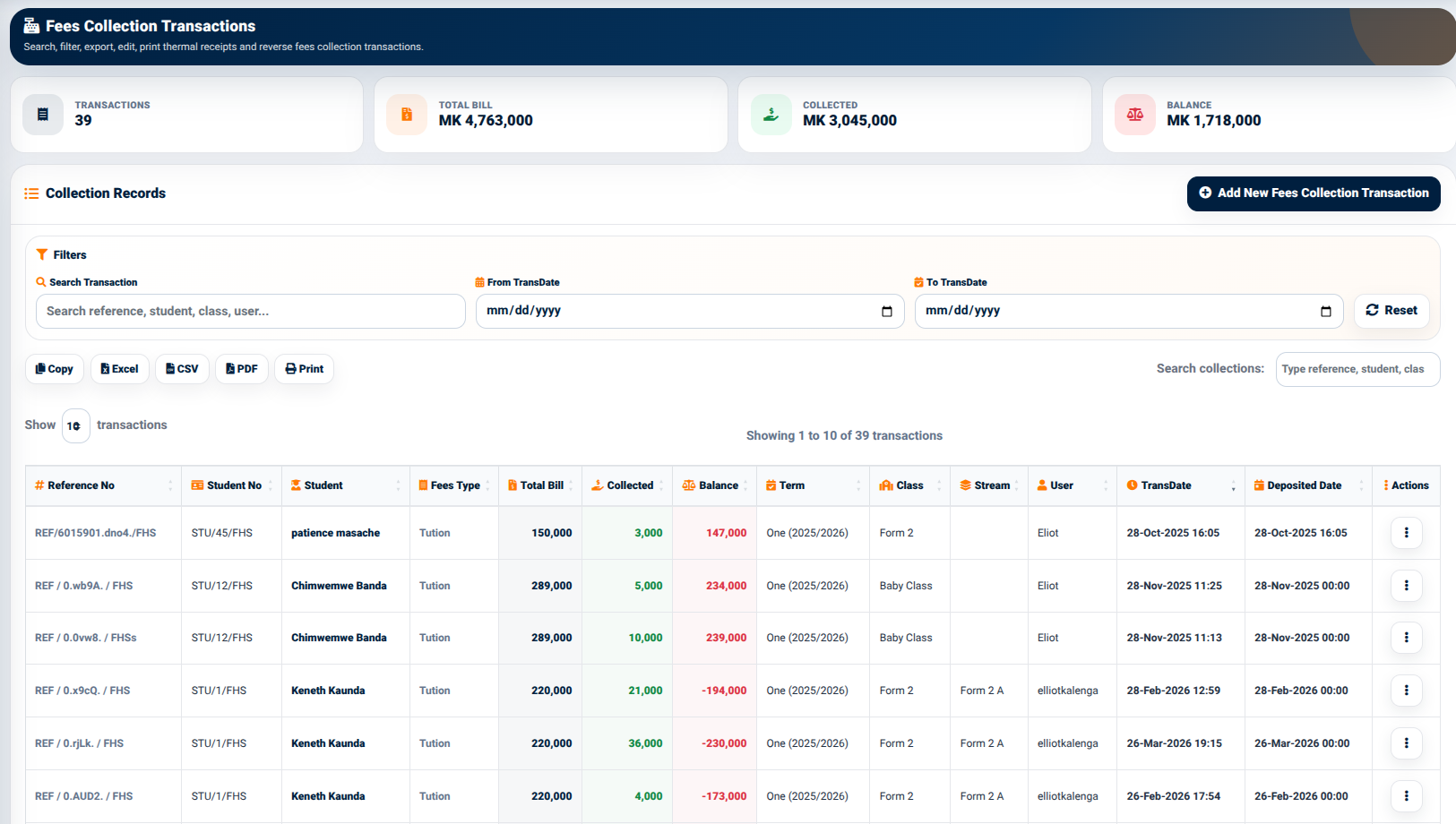
The interface provides summary indicators including:
- Transactions — Displays the number of recorded fee collection transactions.
- Total Bill — Displays the total value associated with the displayed transactions.
- Collected — Displays the amount collected.
- Balance — Displays the remaining balance.
These indicators provide an overview of the collection position before individual transactions are reviewed.
Collection Records
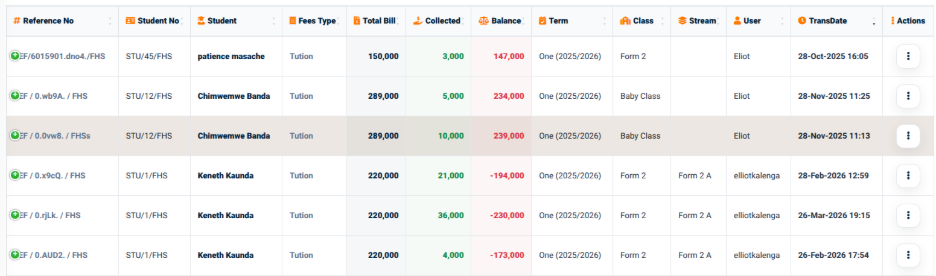
The Collection Records section displays fee collection transactions in a structured table.
The table provides information including:
- Reference No — Identifies the collection transaction.
- Student No — Identifies the student.
- Student — Displays the student’s name.
- Fees Type — Identifies the type of fee being collected.
- Total Bill — Displays the total amount billed.
- Collected — Displays the amount collected.
- Balance — Displays the remaining balance.
- Term — Identifies the academic term.
- Class — Identifies the student’s class.
- TransDate — Displays the transaction date and time.
- Actions — Provides available transaction actions.
Collection Filters
The Fees Collection interface provides filtering controls that allow users to locate transactions based on specific criteria.
The available filters include:
- Search Transaction — Allows users to search using information such as reference, student, class, or user.
- From TransDate — Defines the starting date for the transaction search.
- To TransDate — Defines the ending date for the transaction search.
- Reset — Clears the applied filters.
A separate search field is also provided for searching the displayed collection records.
These filtering options allow users to narrow the collection records to a specific transaction, student, user, or date range.
Collection Export and Output
The collection interface provides several output options:
- Copy
- Excel
- CSV
These options allow the displayed collection information to be copied, exported, saved, or printed according to the user’s requirements.