
The Accounting Dashboard provides the main overview of the school’s financial position for a selected academic term.
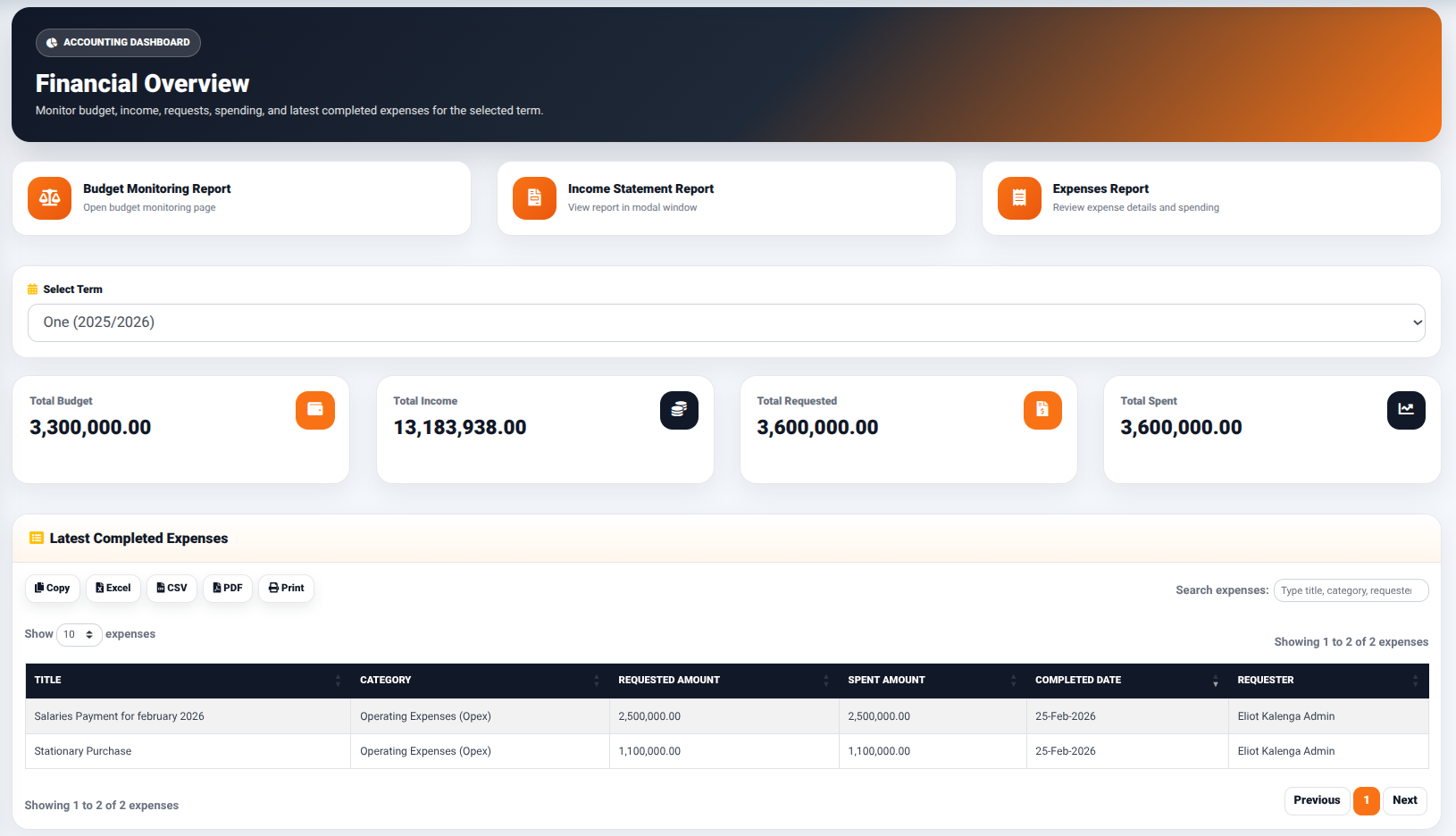
The dashboard provides access to the following reporting functions:
- Budget Monitoring Report — Opens the budget monitoring report interface.
- Income Statement Report — Opens the income statement report interface.
- Expenses Report — Provides access to expense information and spending details.
Selecting an Accounting Term
The Select Term field allows the user to select the academic term whose financial information is to be reviewed.
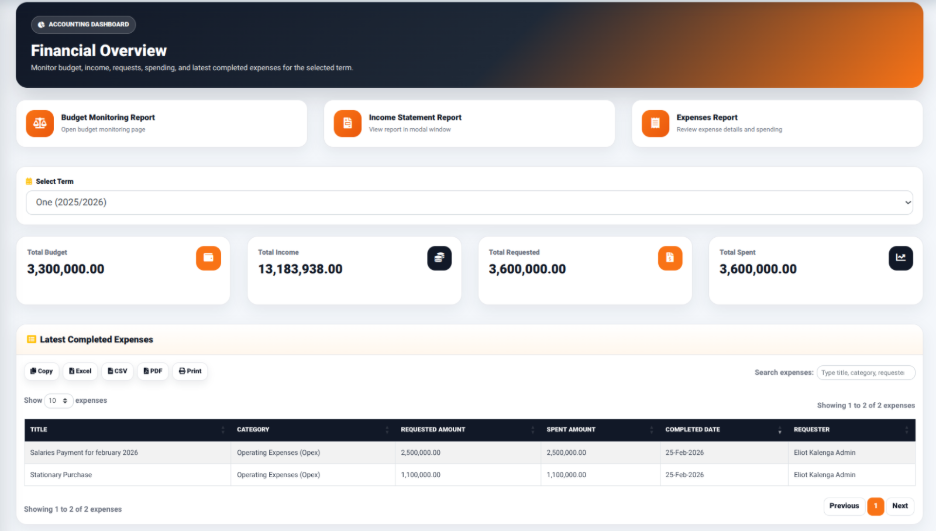
The selected term determines the financial information displayed on the dashboard.
Financial Summary
The dashboard provides summary indicators including:
- Total Budget — Displays the total budget for the selected term.
- Total Income — Displays the total income recorded for the selected term.
- Total Requested — Displays the total amount requested through expense requests.
- Total Spent — Displays the total amount spent for the selected term.
These indicators provide a high-level view of the financial position before individual financial records are reviewed.
Latest Completed Expenses
The Latest Completed Expenses section provides a summary of recently completed expense transactions.
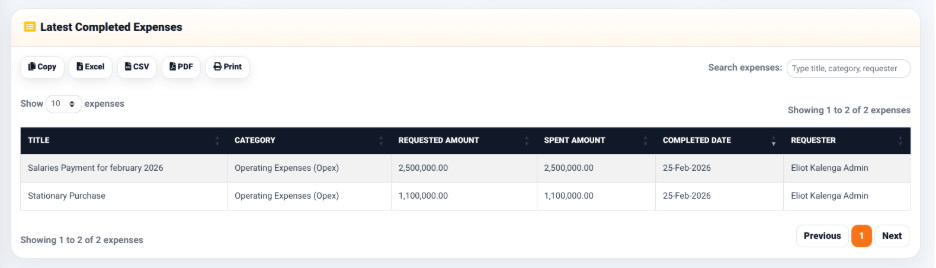
The section provides output controls including:
- Copy — Copies the displayed information.
- Excel — Exports the information to Excel.
- CSV — Exports the information in CSV format.
- PDF — Generates a PDF version of the information.
- Print — Opens the information in a print-ready format.