
The Role Permission Management function provides detailed control over the permissions assigned to each role.
It allows an authorized user to select a role, review the available permissions, enable or disable specific permissions, and save the resulting access configuration.
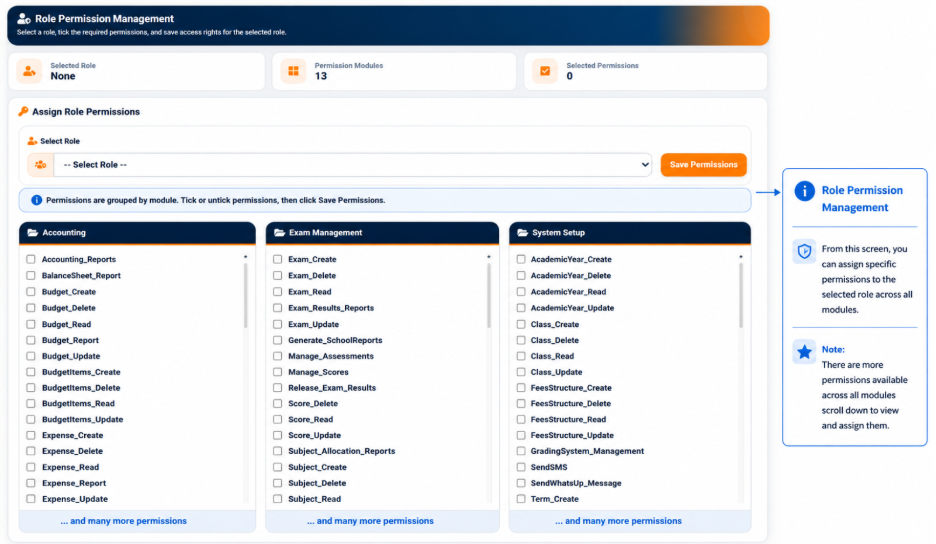
The interface provides summary information including:
- Selected Role — Displays the role currently being configured.
- Permission Modules — Displays the number of permission modules available.
- Selected Permissions — Displays the number of permissions currently assigned to the selected role.
The system provides the following instruction:
Permissions are grouped by module. Tick or untick permissions, then click Save Permissions.
Selecting a Role
The Select Role field provides a list of the roles configured within the school.
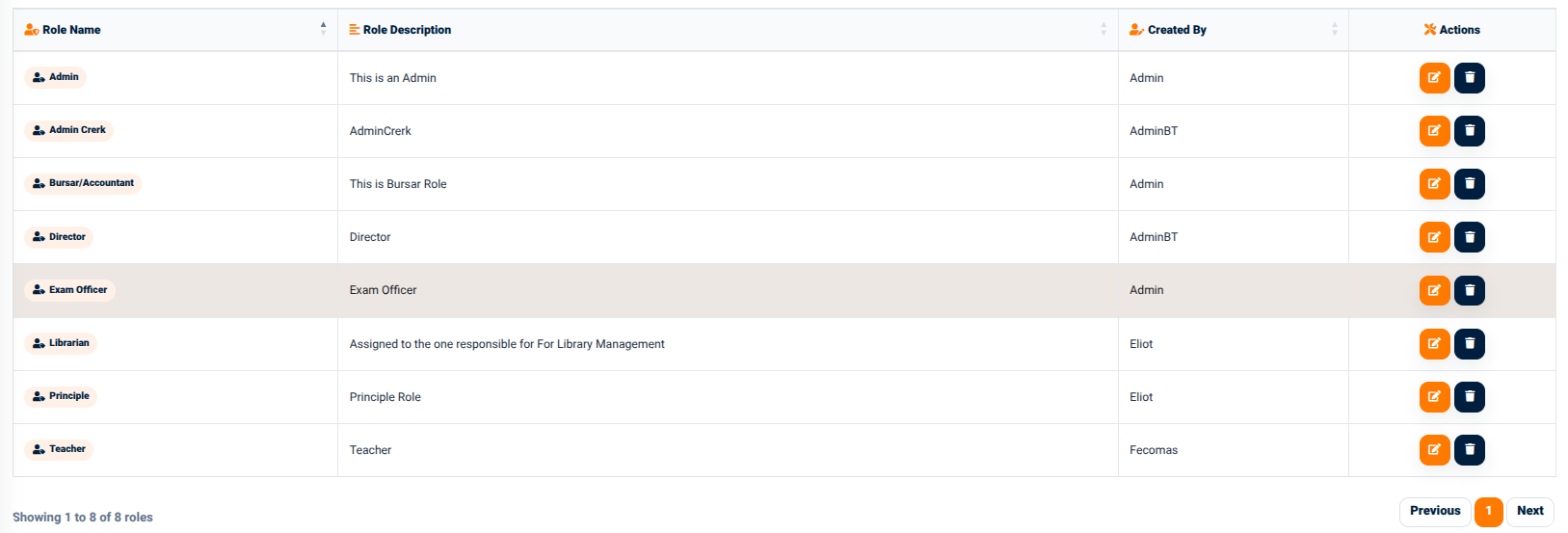
The available roles are selected from the roles previously created in Roles Management.
When a role is selected, the system loads the permissions currently assigned to that role.
The administrator can then review the permissions and modify them according to the responsibilities associated with the selected role.