
The Add New Expense Request function provides an interface for recording a new expenditure request.
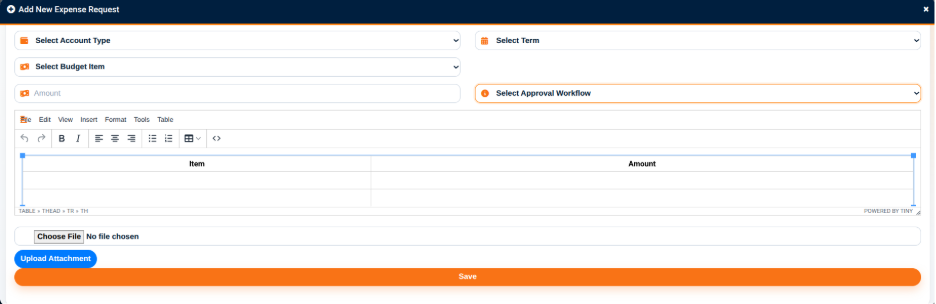
The Expense Request Details section provides the following fields:
- Title — Used to enter the title of the expense request.
- Select Expense Category — Used to select the category of the expense.
- Select Account Type — Used to select the applicable account type.
- Select Term — Used to select the academic term.
- Select Budget Item — Used to select the budget item associated with the request.
- Amount — Used to enter the requested amount.
- Select Approval Workflow — Used to select the approval workflow to be applied to the request.
The interface also provides an attachment option for adding supporting documents to the expense request.
The Upload Attachment action is used to upload a selected file.
The Save action is used to submit the expense request.