
The Add New Book function is used to register a new book in the library catalogue.
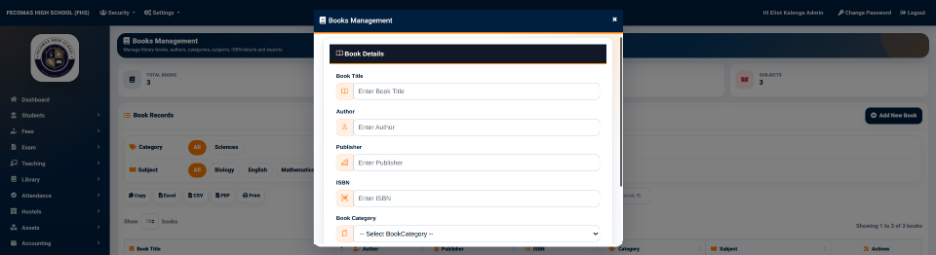
The book management form provides the information required to identify and classify the book.
The available fields include:
- Book Title — Used to enter the title of the book.
- Author — Used to enter the name of the author.
- Publisher — Used to enter the publisher of the book.
- ISBN — Used to enter the ISBN associated with the book.
- Book Category — Used to select the category under which the book should be classified.
- Subject — Used to select the academic subject associated with the book.
After the required information has been entered, the Add button is used to save the book record.
Registering a book in Books Management creates the main catalogue record. Individual physical copies can then be associated with the book through the Library Inventory function.