
The Period Register Management form is used to create a new teaching period.
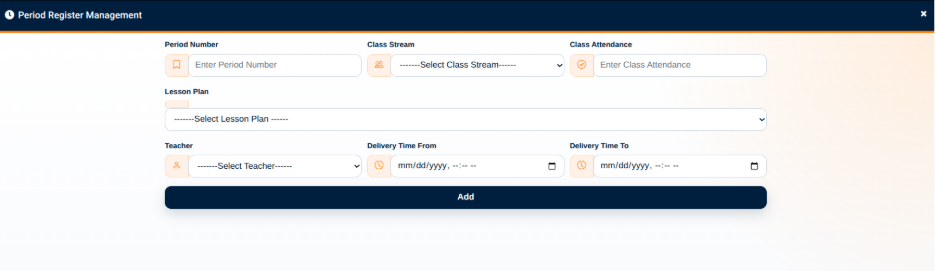
The form provides the following fields:
- Period Number — Used to enter the number assigned to the teaching period.
- Class Stream — Used to select the class stream for the period.
- Class Attendance — Used to enter the class attendance information associated with the period.
- Lesson Plan — Used to select the lesson plan associated with the period.
- Teacher — Used to select the teacher responsible for the lesson.
- Delivery Time From — Used to specify when the lesson period begins.
- Delivery Time To — Used to specify when the lesson period ends.
The Add button is used to save the period record after the required information has been entered.
By linking the period to a lesson plan, class stream, and teacher, the Period Register provides a structured record of when and where a lesson is scheduled or delivered.