
The Fees Balances function provides an overview of student fee obligations and payment positions.
It allows users to review the amount billed to each student, payments received, outstanding balances, payment percentages, and the current fee status.
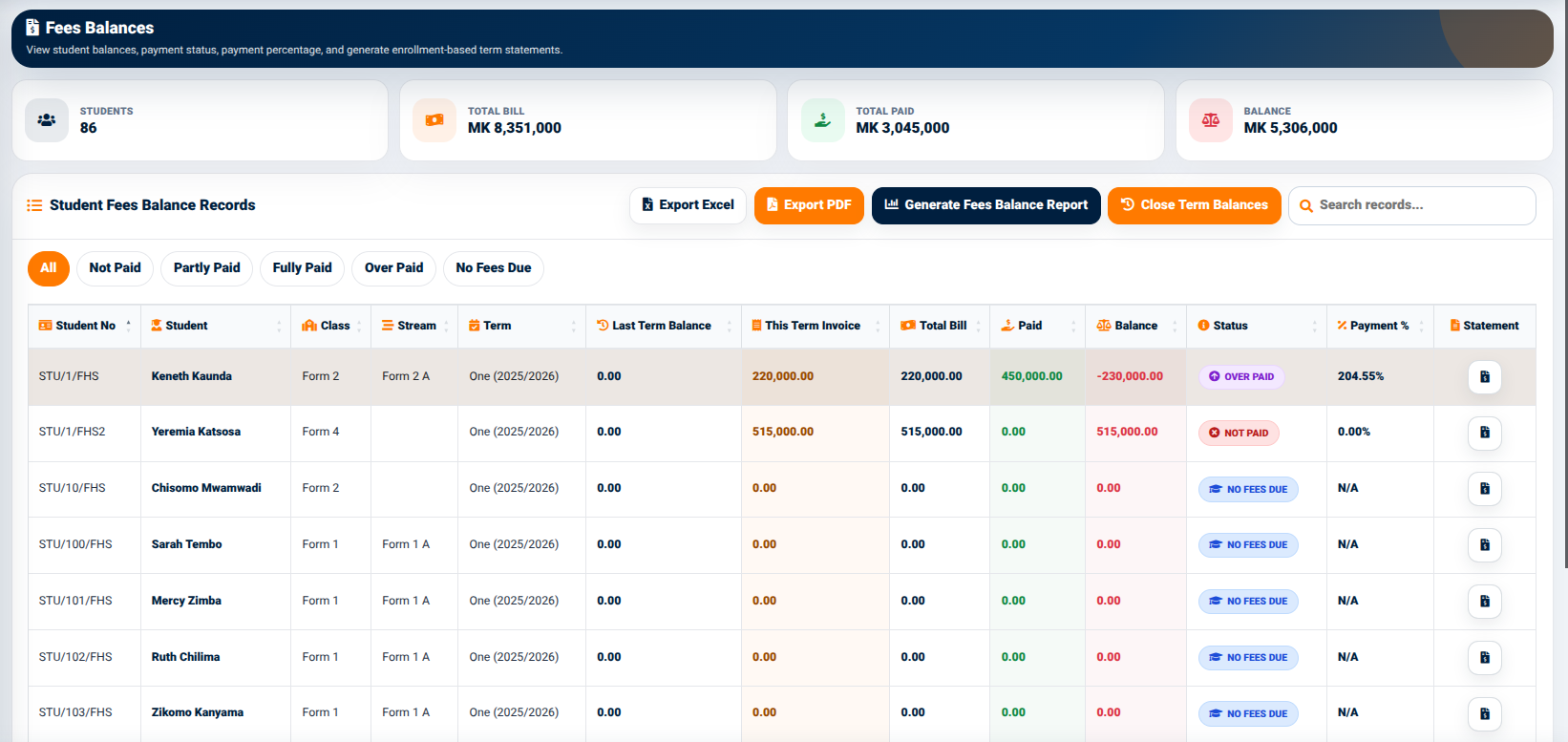
The interface provides summary indicators including:
- Students — Displays the number of students included in the balance records.
- Total Bill — Displays the total value of the student bills.
- Total Paid — Displays the amount that has been paid.
- Balance — Displays the remaining outstanding amount.
These indicators provide a high-level view of the overall fee position before individual student records are reviewed.
Student Fees Balance Records
The Student Fees Balance Records section displays individual student fee balances in a structured table.
The table includes:
- Student No — Identifies the student.
- Student — Displays the student’s name.
- Last Term Balance — Displays the balance carried forward from the previous term.
- This Term Invoice — Displays the invoice amount for the current term.
- Total Bill — Displays the total amount owed.
- Paid — Displays the amount paid.
- Balance — Displays the remaining balance.
- Status — Indicates the student’s current fee status.
- Payment % — Displays the percentage of the bill that has been paid.
- Statement — Provides access to the student’s fee statement.
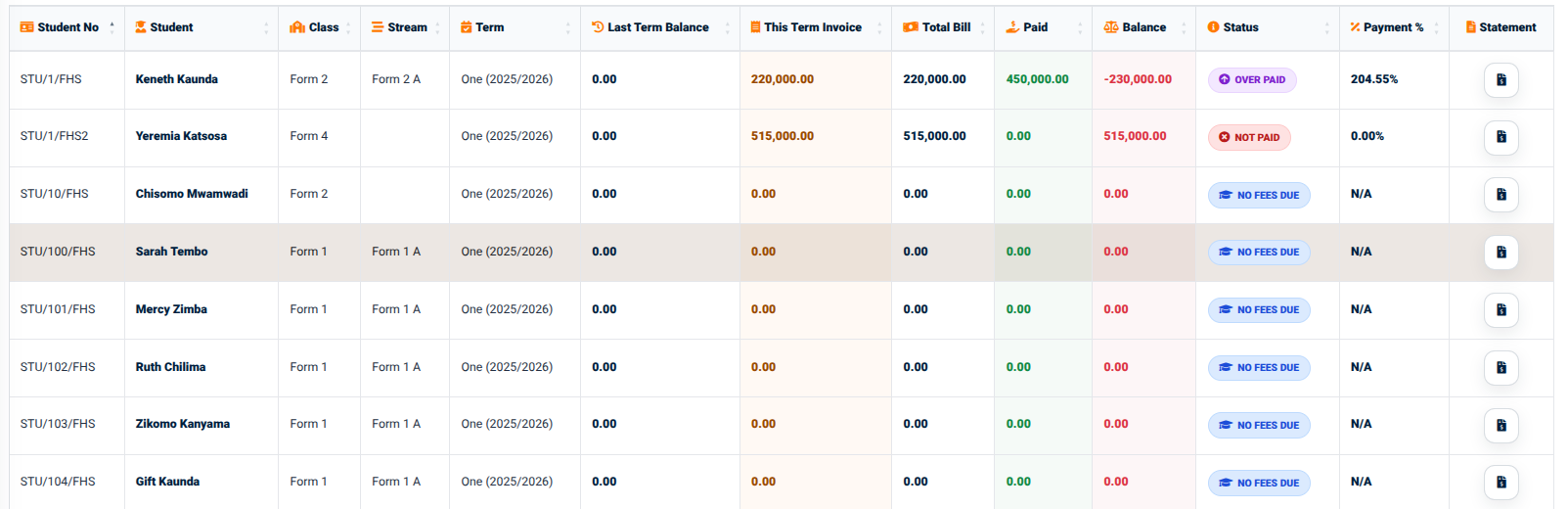
The status indicators allow users to distinguish between different payment positions.
The available status filters include:
- All
- Not Paid
- Partly Paid
- Fully Paid
- Over Paid
- No Fees Due
These filters make it easier to identify students according to their current fee position.
3.5.2 Fees Balance Actions
The Fees Balances interface provides several actions for working with the displayed records.
These include:
- Export Excel — Exports the balance information to Excel.
- Export PDF — Generates a PDF version of the balance information.
- Generate Fees Balance Report — Opens the fee balance report interface.
- Close Term Balances — Provides the function for closing the term balances.
- Search Records — Allows users to search for specific balance records.
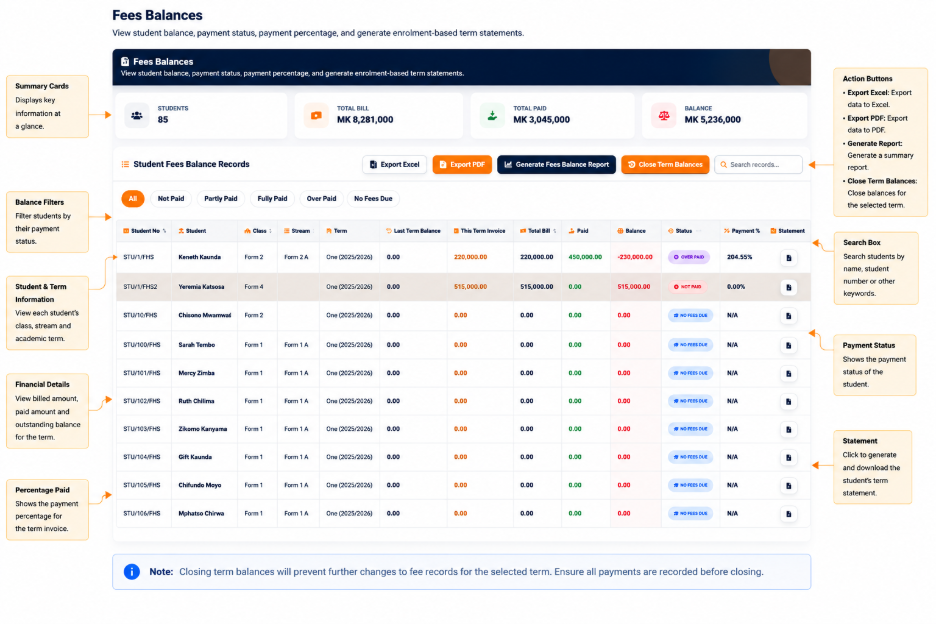
The Statement action available for individual students provides access to a detailed student fee statement.