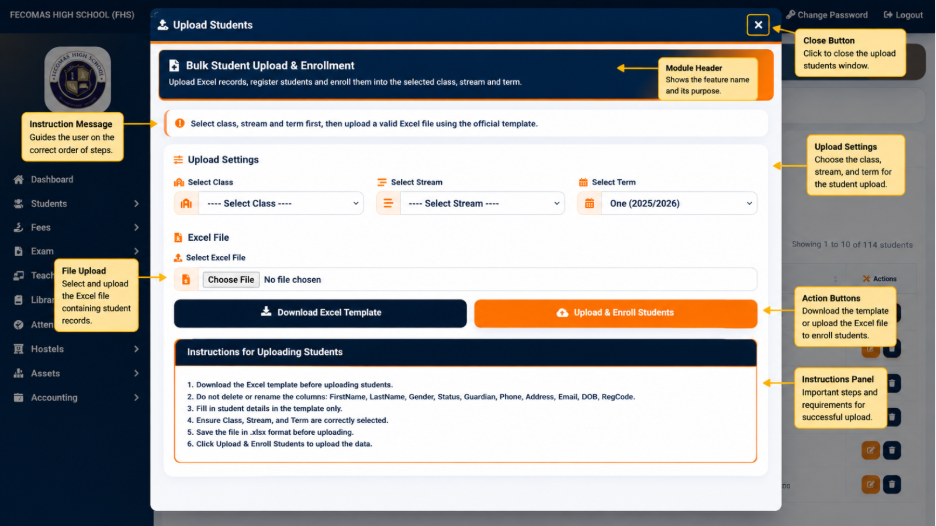
In addition to individual registration, Fecomas provides an Upload Students function for adding multiple student records using an Excel file.
The Upload Students interface provides options for selecting the academic and class-related information associated with the uploaded records.
The displayed options include:
The interface also provides an option to download an Excel Student Template. The template can be used as the structure for preparing student information before it is uploaded into the system.
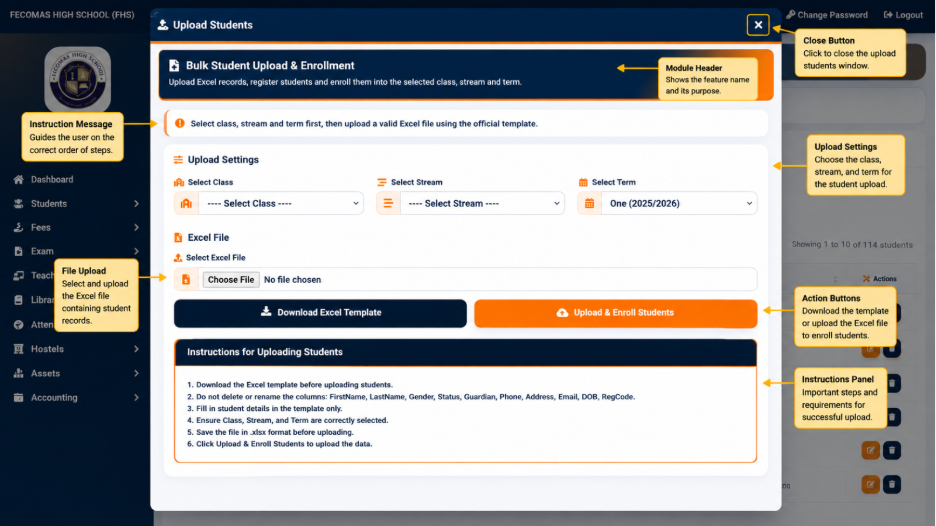
The upload interface provides controls for selecting the Excel file and initiating the upload operation.
The interface also displays instructions for preparing and uploading student information. These instructions provide guidance on the expected structure and preparation of the student data before the upload is performed.
This function is particularly useful when multiple student records need to be introduced into the system instead of registering each student individually.