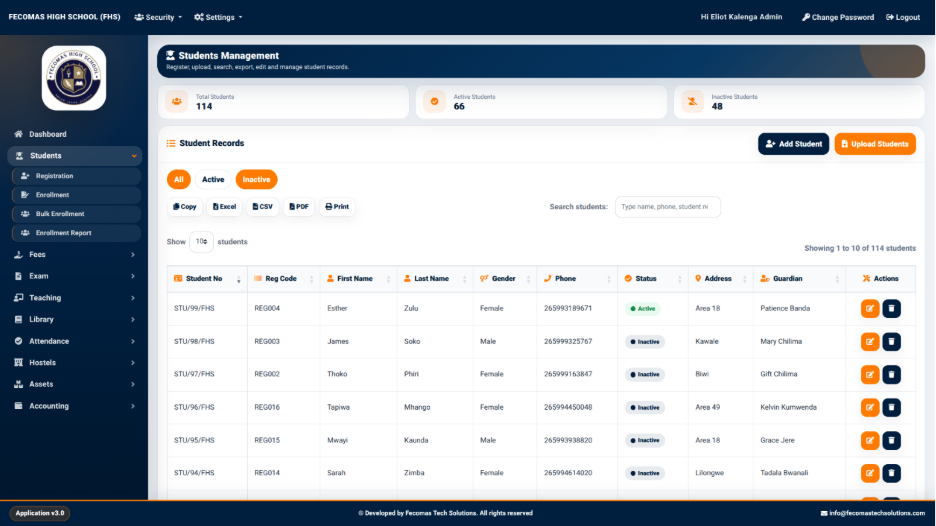
The Student Management screen provides an overview of student records already available in the system.
The screen displays summary information together with a student records table. The interface also provides controls for adding new students and uploading student information.
The main actions available on the screen include:
The Student Records section displays student information in a tabular format.
The table provides information relating to individual students and allows users to review records without opening each record individually.
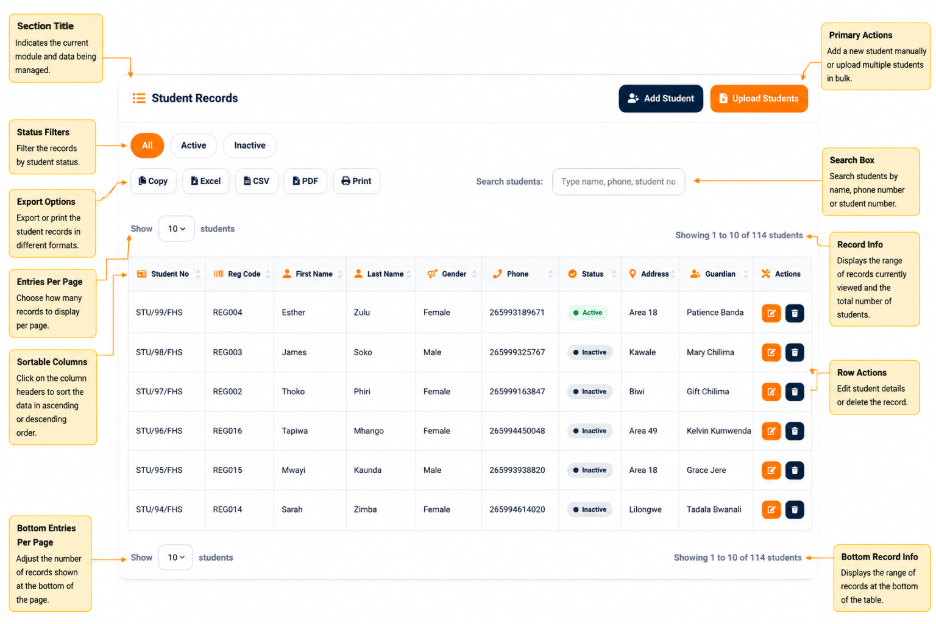
The screen also provides record filtering or status-related controls that allow users to work with the displayed student records.
The management interface therefore acts as the primary overview area for reviewing students that have been registered in the system.