The Library Inventory Reports interface provides reporting functions for reviewing library resources and circulation information.
The Report Options section provides the available report types.
These include:
The selected report is generated and displayed within the reporting interface.
The Inventory Report provides a detailed view of books and their physical copies recorded in the library inventory.
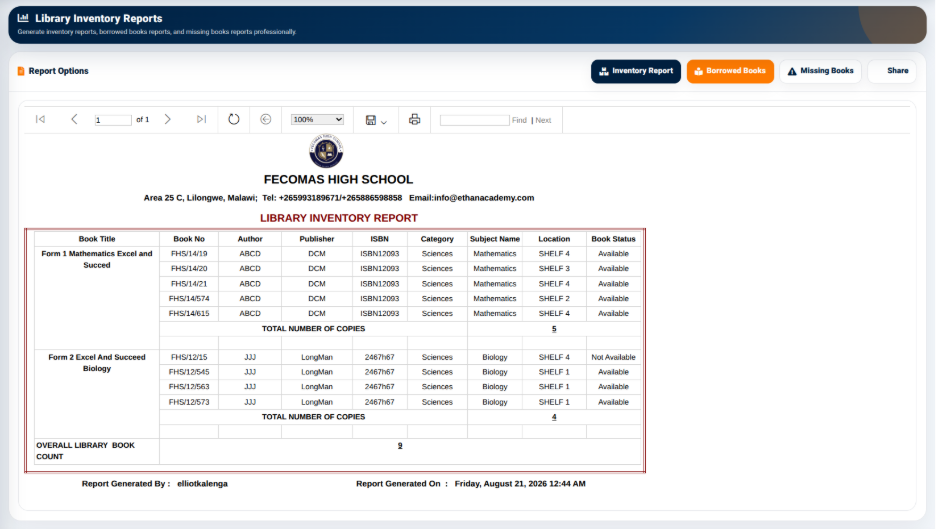
The report provides information such as:
The report also provides the total number of copies represented in the inventory information.
The Inventory Report therefore provides a consolidated view of the library’s physical resources.
The Borrowed Books report provides a report-based view of books that have been issued to library members.
It allows library staff to review borrowing information separately from the main Borrowed Books management interface.
This report can be accessed from the Library Inventory Reports section.
The Missing Books report provides a dedicated reporting option for reviewing books identified as missing.
The report can be selected from the Library Inventory Reports interface.
This provides library administrators with a separate view for monitoring books that are not accounted for within the available inventory records.