Attendance Reports
The Reports section provides tools for generating attendance information for administrative and monitoring purposes.
The interface provides a Quick Class Report for generating attendance information based on a selected class and date range.
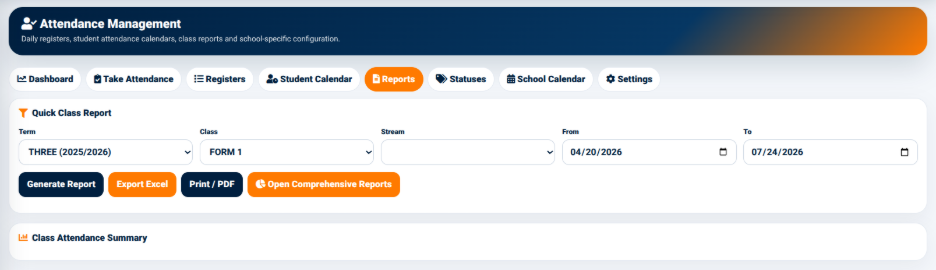
The available filters include:
- Term — Used to select the academic term.
- Class — Used to select the class.
- Stream — Used to select the relevant stream.
- From — Defines the beginning of the reporting period.
- To — Defines the end of the reporting period.
The available actions include:
- Generate Report — Generates the attendance report using the selected criteria.
- Export Excel — Exports the report information to Excel.
- Print / PDF — Provides a printable or PDF version of the report.
- Open Comprehensive Reports — Opens the more detailed attendance reporting interface.
The generated information is displayed under Class Attendance Summary.