The Asset Allocation function is used to manage assets assigned to users or other asset holders.
It provides an interface for recording asset allocations, monitoring allocated and returned assets, reviewing asset holders and locations, and managing asset condition records.
The interface provides summary indicators including:
These indicators provide a quick overview of the current asset allocation position.
The Allocation Records section displays asset allocation records in a structured table.
The interface provides allocation filters including:
The interface also provides condition filters including:
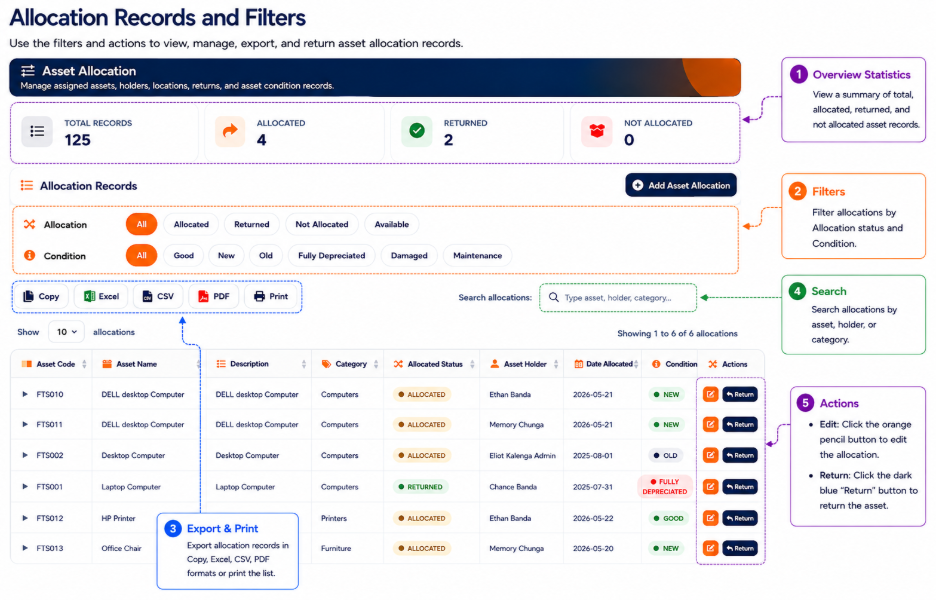
The allocation table provides information including:
The interface also provides a search field for locating allocation records using asset, holder, category, or other available information.
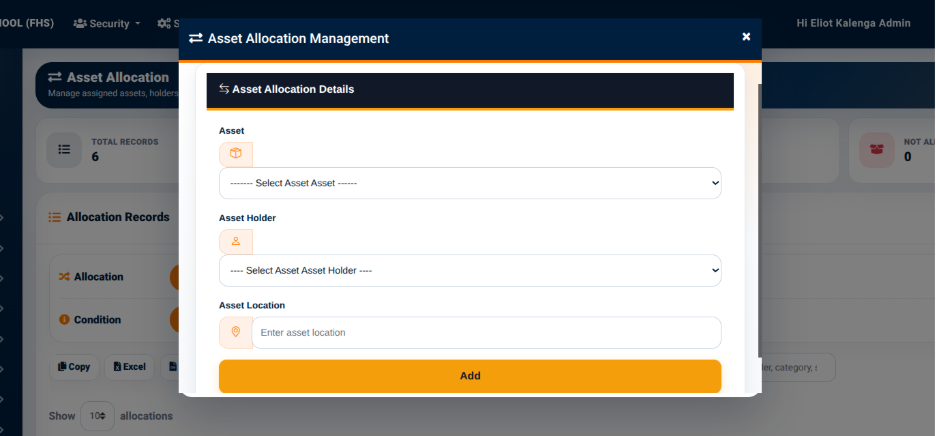
The Add Asset Allocation function provides an interface for assigning an available asset to an asset holder and recording its location.
The Asset Allocation Management interface provides the following fields:
The Add action is used to record the asset allocation.
Once the allocation is recorded, the asset becomes available within the Allocation Records section for subsequent review and management.
The allocation records provide a Return action for assets that have been allocated.
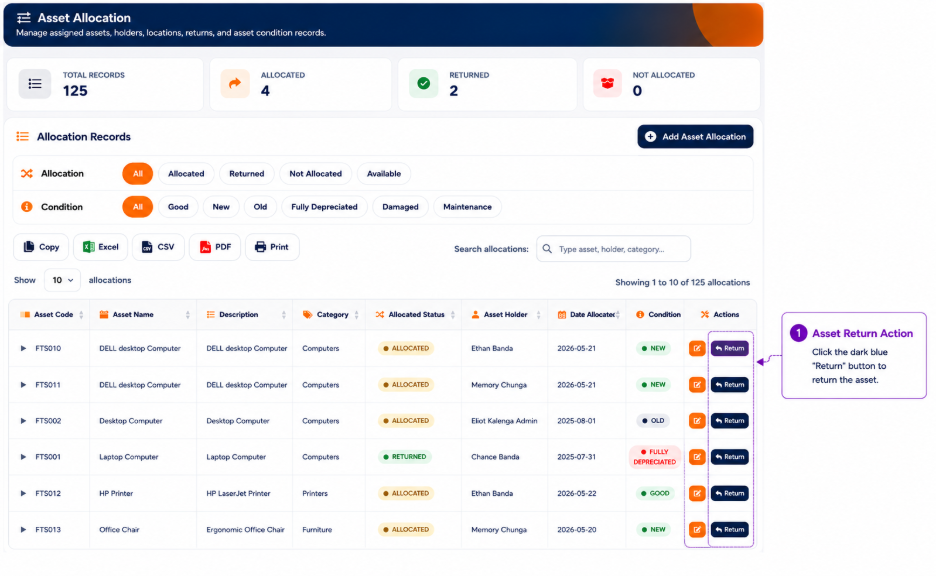
The Return function provides a way of recording the return of an allocated asset. After an asset is returned, its allocation status is updated within the asset allocation records.
The return action should be used when an allocated asset is brought back and is no longer assigned to the current asset holder.